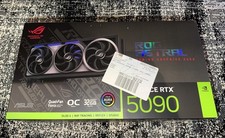
Compare · 2 products compared
NVIDIA GeForce RTX 5060vsNVIDIA GeForce RTX 5090: Comparison
The NVIDIA GeForce RTX 5060 and the NVIDIA GeForce RTX 5090 both run on the Blackwell architecture and support PCIe 5.0. They stand apart in price, power consumption, and raw compute capability.
eBay prices refresh hourly — check the listing before you buy. We may earn a commission.
- NVIDIAGeForce RTX 5060
Best for Budget-conscious builders needing low power consumption
Wins5 / 12 - MOST WINS

Best for Professionals and enthusiasts requiring maximum compute and memory
Wins7 / 12
Biggest differences
Launch price
NVIDIA GeForce RTX 5060 leads
6.69×
lower is better
- NVIDIA GeForce RTX 5060299 USD
- NVIDIA GeForce RTX 50901,999 USD
Shader cores
NVIDIA GeForce RTX 5090 leads
5.67×
higher is better
- NVIDIA GeForce RTX 50603,840 cores
- NVIDIA GeForce RTX 509021,760 cores
Video memory
NVIDIA GeForce RTX 5090 leads
4×
higher is better
- NVIDIA GeForce RTX 50608 GB
- NVIDIA GeForce RTX 509032 GB
Memory bus width
NVIDIA GeForce RTX 5090 leads
4×
higher is better
- NVIDIA GeForce RTX 5060128 bit
- NVIDIA GeForce RTX 5090512 bit
Where each one wins
NVIDIA GeForce RTX 5060
- Launch price
- Boost clock
- Base clock
- Board power
- Recommended PSU
NVIDIA GeForce RTX 5090
- Shader cores
- FP32 compute
- Video memory
- Memory bus width
- Memory bandwidth
- PCIe lanes
- Video encoders
What both have
- ArchitectureBlackwell
- Memory typeGddr7
- Memory speed28 Gbps
- PCIe version5.0
- HDMI version2.1b
- DisplayPort version2.1b
- HDMI outputs1 ports
- DisplayPort outputs3 ports
- Max displays4 displays
Every spec
Red marks the better value in each row.
| Spec | NVIDIA GeForce RTX 5060 | NVIDIA GeForce RTX 5090 |
|---|---|---|
| Overview | ||
| Release date | 2025-05 | 2025-01 |
| Launch price | 299 USD | 1,999 USD |
| Graphics chip | ||
| Architecture | Blackwell | Blackwell |
| Shader cores | 3,840 cores | 21,760 cores |
| Boost clock | 2,500 MHz | 2,410 MHz |
| Base clock | 2,280 MHz | 2,010 MHz |
| FP32 compute | 19.2 TFLOPS | 104.8 TFLOPS |
| Memory | ||
| Video memory | 8 GB | 32 GB |
| Memory type | Gddr7 | Gddr7 |
| Memory bus width | 128 bit | 512 bit |
| Memory bandwidth | 448 GB/s | 1,792 GB/s |
| Memory speed | 28 Gbps | 28 Gbps |
| Last-level cache | Not published | 96 MB |
| Power | ||
| Board power | 145 W | 575 W |
| Recommended PSU | 550 W1 | 1,000 W2 |
| Power connectors | 8-pin3 | 12V-2x6 |
| Interface | ||
| PCIe version | 5.0 | 5.0 |
| PCIe lanes | 8 lanes | 16 lanes |
| Display outputs | ||
| HDMI version | 2.1b | 2.1b |
| DisplayPort version | 2.1b4 | 2.1b5 |
| HDMI outputs | 1 ports | 1 ports |
| DisplayPort outputs | 3 ports | 3 ports |
| Max displays | 4 displays | 4 displays |
| Video engine | ||
| Hardware encode | AV1 | H.264, HEVC, AV1 |
| Video encoders | 1 encoders | 3 encoders |
| Size | ||
| Card length | Not published | 304 mm |
| Card height | Not published | 137 mm |
| Slot width | Not published | 2 slots6 |
Notes on 6 values — test conditions and caveats
- 1NVIDIA GeForce RTX 5060, Recommended PSU: NVIDIA's 550 W minimum assumes a PC with a Ryzen 9 9950X; power needs vary by system configuration.
- 2NVIDIA GeForce RTX 5090, Recommended PSU: NVIDIA's minimum for a PC with a Ryzen 9 9950X; it recommends a PCIe CEM 5.1 compliant PSU.
- 3NVIDIA GeForce RTX 5060, Power connectors: The card takes one 8-pin; a 300 W or greater Gen 5 (16-pin) PSU cable can be used with the in-box adapter.
- 4NVIDIA GeForce RTX 5060, DisplayPort version: DisplayPort 2.1b outputs run at the UHBR20 link rate per NVIDIA's footnote.
- 5NVIDIA GeForce RTX 5090, DisplayPort version: DisplayPort 2.1b at UHBR20 on all three DP outputs.
- 6NVIDIA GeForce RTX 5090, Slot width: The card is 2-slot, but NVIDIA's install guide asks for 3-slot (61 mm) case clearance.
Performance and Power
The RTX 5090 delivers massive compute power with 21,760 shader cores and 104.8 TFLOPS of FP32 compute. This raw capability demands a much larger power envelope, requiring a 1,000 W minimum PSU for a system with a Ryzen 9 9950X and a 12V-2x6 power connector.
In contrast, the RTX 5060 keeps power requirements low with a board power of 145 W and a 550 W recommended PSU using an 8-pin connector. It reaches higher base and boost clocks out of the box, offering an efficient option for modest systems.
Memory and Interface
The RTX 5090 equips 32 GB of GDDR7 video memory on a massive 512-bit bus width, delivering 1,792 GB/s of memory bandwidth and 16 PCIe lanes. It also includes 96 MB of last-level cache.
The RTX 5060 features 8 GB of GDDR7 video memory on a 128-bit bus width, yielding 448 GB/s of memory bandwidth across 8 PCIe lanes.
Video and Displays
The RTX 5090 includes three hardware video encoders supporting H.264, HEVC, and AV1. The RTX 5060 provides a single encoder limited to AV1.
Both cards support up to four displays, featuring one HDMI 2.1b port and three DisplayPort 2.1b outputs running at the UHBR20 link rate.
The Verdict
Buy the RTX 5060 if you want an efficient, low-power GPU for standard systems on a strict budget. Buy the RTX 5090 if you need maximum compute power and extensive video memory for heavy workloads.
Where to buy
NVIDIA GeForce RTX 5060
Best for Budget-conscious builders needing low power consumption
NVIDIA GeForce RTX 5090
Best for Professionals and enthusiasts requiring maximum compute and memory
FAQ
What power supply do I need for the RTX 5090?
NVIDIA recommends a 1,000 W minimum PSU for a PC with a Ryzen 9 9950X, using a PCIe CEM 5.1 compliant power supply.
What power supply do I need for the RTX 5060?
NVIDIA's 550 W minimum assumes a PC with a Ryzen 9 9950X, though power needs vary by system configuration.
What video encoding formats does the RTX 5060 support?
The RTX 5060 supports AV1 hardware encoding with its single encoder.
What is the physical size of the RTX 5090?
The RTX 5090 measures 304 mm in length and 137 mm in height. It is a 2-slot card, though NVIDIA's install guide asks for 3-slot case clearance.
Spotted something wrong? Tap the next to any section or spec group to let us know. Every report is read.